
POS System – What is It?

MarekMac
Table of contents
What is a POS system and what role does it play in business? These systems have changed significantly over time. In the era of progressive digitalization, they have gained special importance. In this article, we reveal what stands behind this abbreviation and what it means for modern sales.
What Does the Abbreviation POS Mean?
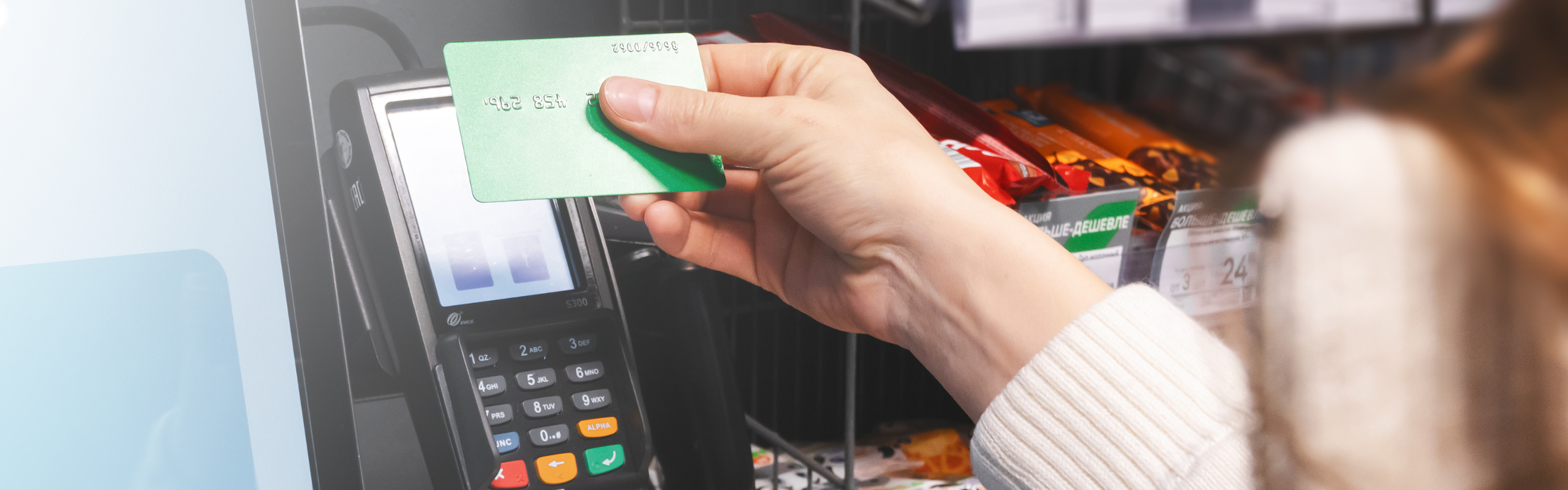
"POS" is an abbreviation for "Point-of-Sale". In some cases, especially in service companies or the HoReCa industry (catering and hospitality), this term is sometimes expanded as "Point-of-Service". The original meaning of POS was almost entirely limited to a physical location inside a store where a traditional cash register was located. Today, this perspective has evolved significantly. Modern cash registers can handle much more than just the payment process, although this is still the core of a POS system.
How Does a POS Sales System Work?
What is a POS system from an operational perspective? An innovative sales program can do more than just process payments. Over the years, it has become a central information hub in companies. It covers the full service cycle: from the moment an order is placed, through its processing, up to the final settlement and printing of the receipt. This helps meet the growing expectations of consumers in the digital era.
Benefits of a modern POS solution
The application of advanced point-of-sale systems is a true revolution in the retail and catering industries. POS systems enable companies to smoothly handle a large number of clients or guests, providing them with a modern shopping experience (UX). The key benefits resulting from the integration of POS software include:
- Personalized approach to guests – the system uses the preferences of regular customers or product buyers.
- 360° view of consumer behavior – easier analysis of sales trends.
- Analytics – creating reports for profitable offers and genuinely increasing margins.
- Reduction of costs and losses – through automatic warnings about low stock levels or sales anomalies.
- Security – protecting sensitive customer data.
Thanks to the use of fully integrated cloud technologies, companies can also offer convenient payment options using mobile devices such as smartphones, tablets, or smartwatches.
Features of a POS System
POS solutions available on the market can often be easily expanded using additional modules. These comprehensive packages support, among others:
- The ordering and returns process,
- Industry-specific processes (e.g., table reservations in restaurants),
- Real-time inventory synchronization,
- Implementation of data access security recommendations and compliance with legal and tax requirements.
How much does a POS cost?
The cost of implementing a POS system depends on the chosen operating model and its level of advancement. Most systems are provided to customers in a flexible cloud-based subscription model (SaaS). They are less often in the form of a traditional license (on-premise). Although free POS solutions can also be found on the market, they are usually functionally limited and force you to use hardware from a specific provider. However, it should be remembered that a well-chosen system is always a strategic investment. Its ultimate goal is to optimize the work of all personnel and lower operational costs.
POS Software and Its Disadvantages
Does POS software have any disadvantages? The benefits always outweigh the inconveniences. However, every entrepreneur should be aware that implementation requires an investment – both in time and capital. Replacing the infrastructure sometimes involves purchasing new hardware and conducting the necessary training for employees on the new interface.
Q&A - Frequently Asked Questions and Answers
Can POS Software Be Integrated with ERP and CRM Systems?
Yes, absolutely. Cash register software should indeed be connected to the main ERP system and the CRM module. This allows for the proper storage of valuable data on purchasing history, which ultimately builds a complete profile of the buyer. Thanks to this, the company can respond faster to market needs and deliver personalized offers at the right moment.
Is POS difficult to use?
No. In reality, learning how to operate a POS system does not have to be difficult. Currently, this software is created with maximum intuitiveness in mind. Their interfaces visually often resemble applications that we perfectly know from our private smartphones. Because of this, new employees should easily master basic functions such as accepting payments, ringing up products, or closing bills.
Does a POS system work without the Internet?
The vast majority of modern cloud solutions are prepared for potential network failures. They have a so-called offline mode, which enables work in the absence of the Internet. You can add products, take orders, print receipts, and process cash sales. As soon as the Internet connection is restored, the system will automatically synchronize data with the main server, preventing the loss of any information. However, it should be kept in mind that card payment authorization via a payment terminal will be impossible without a network connection.
In which industries is POS used?
Thanks to the possibility of modular expansion, POS systems can be adapted to the specifics of various businesses. Most often, however, they are used in retail, catering, and hospitality. They also prove themselves in the service industry (hair and beauty salons, car repair shops, gyms, SPAs). POS systems are also used by entertainment and recreational companies (cinemas, theaters, museums, amusement parks). In these cases, they work well for selling tickets and souvenirs.
Comments (0)
No comments here yet, start first!
Leave your comment
You may also read:
Call Center – What is It and How to Set It Up? A Complete Guide
MarekMac